

Filing your taxes may not feel risky. You download a W-2. Upload a PDF. Email a document. Move on.
But tax season is one of the most active times of year for scammers, and the moment you start collecting and sharing tax documents is often when people are most exposed.
W-2s, 1099s, prior-year returns, and identity documents contain nearly everything criminals need to commit tax fraud or identity theft. And increasingly, scammers don’t need to break into systems to get them. They rely on rushed filers, familiar workflows, and convincing messages that blend into tax season noise.
The good news: securing your tax documents doesn’t require expensive tools or technical expertise. With a few deliberate steps, you can dramatically reduce your risk before anything leaves your device.
Why Scammers Want Your Tax Documents
Tax documents are valuable because they’re complete.A single W-2 includes your full name, Social Security number, employer information, and income data. Combined with other files, like a prior return or ID scan, that’s enough to:
- File a fraudulent tax return
- Open new credit accounts
- Access financial services
- Sell your identity on criminal marketplaces
That’s why tax-related phishing and document theft spike every filing season. Many scams don’t look like scams at all. They look like routine requests, delivery notices, or “quick questions” from someone you already trust.
How to Safely Handle and Share Tax Documents
Tax forms contain some of the most sensitive personal information you have. Taking a few precautions when storing and sharing them can reduce the risk of identity theft and tax fraud.
Store Your Tax Documents Securely
Before sending anything to an accountant or tax service, make sure your files are organized and stored safely.
Use a single secure folder
Create one folder, on your device or in a trusted private cloud service account, specifically for tax documents. Avoid scattering files across downloads, email attachments, and screenshots.
Rename files clearly
Use descriptive names such as “2025_W2_EmployerName.pdf” so you can easily identify documents without opening multiple files or re-downloading forms.
Avoid public Wi-Fi
If you’re downloading tax documents, do it on a secure home network whenever possible. Public Wi-Fi can increase the risk of interception. If you must connect in public, using a trusted VPN adds another layer of protection.
Watch for Tax-Season Phishing Scams
Many tax scams don’t target software, they target people.
Common examples include:
- Emails pretending to be from the IRS asking you to “verify” information
- Messages that appear to come from your employer requesting a copy of your W2
- Fake tax portals asking you to re-upload documents
- Urgent messages claiming there is a problem with your return
These scams often arrive when you’re already expecting tax-related communication, which makes them easier to trust.
Important: The IRS does not initiate contact by email, text message, or social media to request personal or financial information.
Use Secure Ways to Share Tax Documents
Email attachments are convenient, but they can also expose sensitive information.
Safer options include:
- A secure client portal provided by your accountant or tax preparer
- Encrypted file-sharing services
- Password-protected documents sent through a secure channel
If you must email a document, avoid sending the password in the same message.
Verify Requests Before Sending Documents
Even if a request looks legitimate, pause before sharing sensitive files.
Ask yourself:
- Did I expect this request?
- Is the sender using their normal contact method?
- Does the message create urgency or pressure?
If something seems unusual, verify the request through a separate channel, such as calling the person directly or starting a new email thread.
Secure the Devices You Use to File
Protecting tax documents also means protecting the device where they’re stored.
Before filing your taxes:
- Install the latest software updates on your computer and phone
- Enable automatic updates when possible
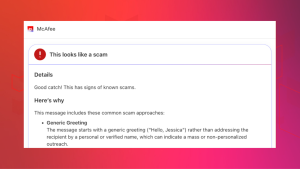
- Use security tools that can flag malicious links and fake websites like McAfee’s WebAdvisor (free download here)
Tax scams increasingly arrive through text messages and social media, not just email, so protection needs to cover the places scammers actually reach you.
File Early and Watch for Warning Signs
Filing early reduces the opportunity for scammers to file a fraudulent tax return in your name.
After filing:
- Watch for IRS notices you didn’t expect
- Monitor financial accounts for unfamiliar activity
- Be cautious of follow-up messages claiming problems with your return
If something feels off, investigate before responding.
Step-by-Step: How to Encrypt Tax Documents Before Sending Them
| Step | What to Do | Why It Matters |
| 1. Put all tax files into one folder | Gather your W-2s, 1099s, receipts, PDFs, and spreadsheets in one folder. | Keeps you organized and prevents accidentally leaving something unprotected. |
| 2. Convert photos into PDFs (if needed) | If documents are photos, save them as a PDF using your phone scanner app or printer settings. | PDFs are easier to encrypt and share securely than image files. |
| 3. Combine files into one ZIP folder | On your computer, select all files → right click → Compress / Zip. | Creates a single package you can protect with a password. |
| 4. Add a password to the ZIP file | Choose the “Encrypt” or “Password Protect” option when creating the ZIP file. | Password protection helps prevent unauthorized access if the file is intercepted. |
| 5. Use a strong password | Use at least 12 characters with a mix of letters, numbers, and symbols. | Weak passwords can be cracked quickly. |
| 6. Rename the file to something generic | Use a name like “Documents_2025.zip” instead of “Taxes_W2_SSN.zip.” | Avoids exposing sensitive info in the file name itself. |
| 7. Send the encrypted file through a secure method | Upload via your tax preparer’s secure portal or share through a secure cloud link. | Email attachments can be risky if the wrong person gains access. |
| 8. Send the password separately | Text or call the password—don’t include it in the same email as the file. | If someone intercepts the email, they won’t have both pieces. |
| 9. Confirm the recipient received it securely | Ask them to confirm download and access. | Prevents re-sending sensitive documents multiple times. |
| 10. Delete extra copies once filing is done | Remove unneeded copies from desktop, downloads folder, and email attachments. | Reduces the chance of future exposure if your device is compromised. |
What to Do If You Think Your Tax Information Was Exposed
If you believe your tax documents were shared with the wrong party or compromised:
- Stop further communication immediately
- Contact your accountant or tax service
- Notify the IRS if sensitive information was exposed
- Monitor credit and financial accounts closely
- Run a security scan on your device, check out our free trial
Acting quickly can limit damage and help prevent long-term fallout.
Final Thoughts
Securing your tax documents doesn’t require perfection, just intention.
By slowing down, using safer sharing methods, and staying alert to tax-season scams, you can protect yourself before problems start. In a season where everyone feels rushed, a few extra minutes can save months of cleanup later.
McAfee helps protect your identity, devices, and personal information so tax season doesn’t become scam season.
Frequently Asked Questions
| Q: Is it safe to email tax documents to my accountant?
A: Email is not the safest option. Secure portals or encrypted file-sharing tools are preferred for sensitive documents like W-2s and tax returns. |
| Q: How do W-2 phishing scams work?
A: Scammers impersonate employers or tax authorities to trick people into sending W-2s or personal information, often using urgent or official-looking messag |
| Q: Can scammers file taxes using my W-2?
A: Yes. With enough personal information, criminals can file fraudulent returns or commit identity theft. |
| Q: How can I tell if a tax message is fake? A: Be cautious of unsolicited requests, urgent language, unfamiliar links, or requests for documents outside normal filing workflows. |
| Q: What’s the safest way to share tax documents online?
A: Use secure portals, encrypted file-sharing, and verified communication channels. Avoid public Wi-Fi and unprotected email attachments. |

Stay Updated
Follow us to stay updated on all things McAfee and on top of the latest consumer and mobile security threats.